Introduction
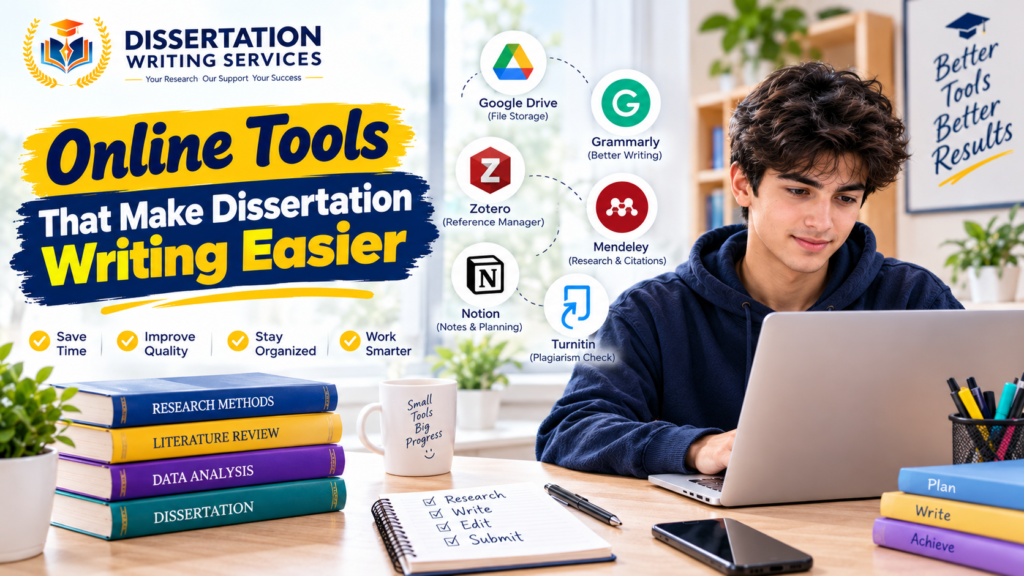
Writing a dissertation can feel difficult when students manage research and deadlines together. It requires careful planning and clear academic writing. Students must also review sources and organise their findings. Online tools can make these tasks easier and help students save time. They can support different stages of the dissertation process. Many UK university students use digital tools to improve their research workflow. Some tools help find academic papers while others organise notes and references. Writing tools can also improve grammar and readability. However students should choose tools that fit their needs and university rules. Online tools cannot replace critical thinking or original research. Students must check facts and review every suggestion before using it. This guide explores useful online tools for dissertation writing. It explains their main features and shows how students can use them effectively.
- Google Scholar for Academic Research
Google Scholar is a useful starting point for dissertation research. It helps students find scholarly articles and academic publications. Search results may include journal papers and conference studies. Students can also discover related research through citation links.
The platform helps students explore different views on a topic. This is useful when preparing a literature review. Students can search by author or keyword to find relevant studies.
Key benefits include:
- Finding academic papers across different subjects
- Exploring related articles and citations
- Identifying authors who publish on a topic
- Saving useful references to a personal library
- Discovering research that supports key arguments
Students should check the quality of each result before citing it. Not every item is peer reviewed or freely available. University library access may help students obtain full papers.
- Zotero for Reference Management
Managing references can become difficult during a long dissertation project. Zotero helps students collect and organise research sources. It can save publication details from supported websites and databases. It also helps create citations and bibliographies. Students can organise sources into folders based on research themes. Notes and tags can make important studies easier to find. This is useful when writing several chapters over time. Zotero supports common referencing styles such as APA and Harvard variants. Students can also use compatible word processing tools to insert citations. They should still check the final format against university guidelines. A good reference manager reduces repetitive work. It also helps prevent missing details in the reference list. Students should keep their research library organised from the beginning.
- Grammarly for Grammar and Clarity
Grammarly can help students identify grammar and spelling problems. It may also suggest changes to sentence structure and readability. These features can improve the clarity of academic writing. Students can use a writing checker after drafting each chapter. They should review suggestions instead of accepting every change. Some automated edits may alter the intended meaning.
Useful features may include:
- Spelling and grammar checks
- Punctuation suggestions
- Sentence clarity feedback
- Vocabulary recommendations
- Tone and readability guidance
Academic writing should remain precise and formal. Students should also follow any university rules about editing tools. A writing checker cannot confirm whether research claims are accurate.
- Microsoft Word and Google Docs
Word processing software is essential for most dissertation projects. Microsoft Word provides tools for headings and page numbers. It also supports automatic tables of contents and citation features. These options help students prepare a consistent document. Google Docs allows students to write and edit documents online. It offers cloud storage and collaboration features. Students can access their work across supported devices and share drafts with supervisors when permitted. Both tools can support dissertation planning and revision. Students should learn how to use heading styles and page breaks. These features help maintain a clear structure. Before submission students should check the required font and spacing. They should also review margins and page numbering. A consistent layout makes a dissertation easier to read.
- ResearchRabbit for Discovering Related Studies
ResearchRabbit helps researchers discover connections between academic papers. It can support literature searches by showing related publications and authors. Students can use it to explore a research area more deeply. This tool may be useful when a few key studies lead to many related papers. It can help identify themes that deserve further investigation. Students can also use it to expand their reading list. However students should not rely on recommendations alone. They must evaluate each paper for relevance and quality. The tool supports discovery but does not replace a careful literature review. Students should also keep track of the sources they actually read. This helps them cite research accurately and avoid unsupported claims.
- Table of Online Tools for Dissertation Writing
Different tools support different parts of the dissertation process. The following table compares several options and their main uses.
| Online tool | Main purpose | Best use |
| Google Scholar | Academic search | Finding research papers |
| Zotero | Reference management | Organising citations |
| Grammarly | Language checking | Improving readability |
| Microsoft Word | Document editing | Formatting chapters |
| Google Docs | Online writing | Drafting and collaboration |
| ResearchRabbit | Research discovery | Finding related studies |
| Trello | Task management | Tracking dissertation tasks |
| Canva | Visual design | Creating suitable figures |
Students do not need every tool on this list. A small selection can be enough for most projects. The best combination depends on the subject and working style.
- Trello for Dissertation Planning
A dissertation often includes many tasks and deadlines. Trello helps students organise these tasks using boards and cards. Each card can represent a research activity or writing goal. Students can create lists such as planned tasks and current work. Completed tasks can move into a finished section. This gives students a clear view of their progress.
Useful dissertation tasks may include:
- Selecting a research topic
- Reading academic sources
- Writing the literature review
- Preparing the methodology
- Analysing collected data
- Editing each chapter
- Checking references
- Preparing the final submission
Students should set realistic deadlines for each stage. They should also leave time for supervisor feedback and revisions. A planning tool works best when students update it regularly.
- Using AI Tools Responsibly
Artificial intelligence tools can support some dissertation tasks. They may help explain complex concepts or suggest research keywords. They can also assist with outlining and language improvement. However AI tools can produce incorrect facts and false references. Students must verify claims using reliable academic sources. They should never cite a paper without confirming that it exists and supports the statement.
Responsible use includes:
- Checking all factual claims
- Verifying references through trusted databases
- Protecting confidential research data
- Following university AI policies
- Keeping the final work academically honest
Students should not submit AI-generated work as their own when this breaks university rules. Some institutions require disclosure of permitted AI use. Students should read their course policy before using such tools. AI should support learning rather than replace independent thought. The student remains responsible for the accuracy and quality of the dissertation.
- Tips for Choosing the Right Dissertation Tools
The number of available digital tools can feel overwhelming. Students should focus on tools that solve clear problems. Choosing too many platforms may create extra work instead of saving time.
Before selecting a tool students should consider:
- Whether it meets their research needs
- Whether it works with their device
- Whether the free version is sufficient
- Whether it protects personal data
- Whether it follows university requirements
- Whether it integrates with existing software
Students should test new tools before relying on them. They should also keep backup copies of important documents. Cloud storage can help but it should not be the only copy of valuable work. A simple workflow is often more effective than a complex system. Students can use one tool for research and another for references. A writing program and a task planner may complete the setup.
- FAQs About Online Dissertation Writing Tools
Which online tool is best for dissertation writing?
The best choice depends on the task. Google Scholar helps with research while Zotero manages references. Word processors support drafting and formatting.
Are free dissertation writing tools available?
Yes. Several tools offer free access or useful free features. Some advanced options may require a paid subscription.
Can online tools write my entire dissertation?
Some tools can generate text but this may be inaccurate or unsuitable. Students should follow university rules and produce work that reflects their own understanding.
Are AI tools allowed for UK university dissertations?
Rules differ across universities and courses. Students should check their institution’s academic integrity policy before using AI tools.
How can I manage dissertation references easily?
A reference manager such as Zotero can organise sources and create citations. Students should still check every reference before submission.
Do online tools guarantee a better dissertation grade?
No tool can guarantee a particular grade. Results depend on research quality and critical analysis. Clear writing and accurate referencing also matter.
Conclusion
Online tools can make dissertation writing easier by supporting research and planning. They can also help students manage references and improve language. Each tool serves a different purpose within the dissertation process. Students should select tools that meet their needs and fit university requirements. Google Scholar can support academic research while Zotero helps organise references. Writing software can improve document structure and task planners can track progress. The most effective approach combines digital support with independent thinking. Students should verify information and protect their research data. They must also follow academic integrity rules when using AI. With careful planning and the right tools students can manage dissertation work more confidently and efficiently.